
SceneSort Pro scans your drives, cleans messy filenames, removes duplicate videos and organises scattered folders into one searchable library — running entirely on your PC, with no account and nothing uploaded.
Windows may show an "unrecognised app" warning the first time — click More info → Run anyway. That's a signing-certificate formality, not a safety issue; see the FAQ.
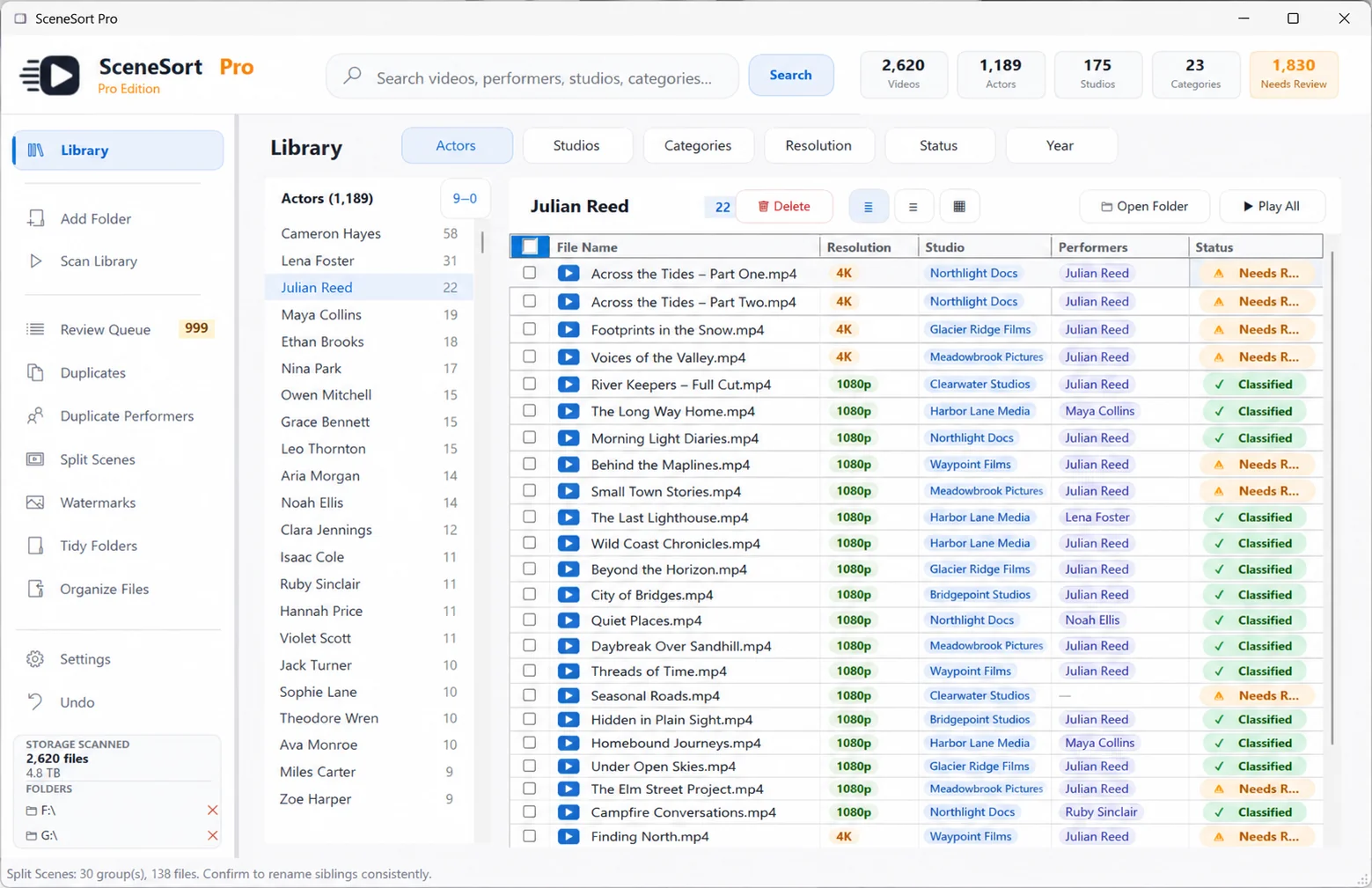
Collections grow across drives and folders for years. Filenames turn to junk, duplicates pile up, and there's no index. SceneSort Pro turns that mess into a library you can actually use.
Nothing is renamed, moved or deleted without your approval. Every change is reviewable, and every change can be undone.
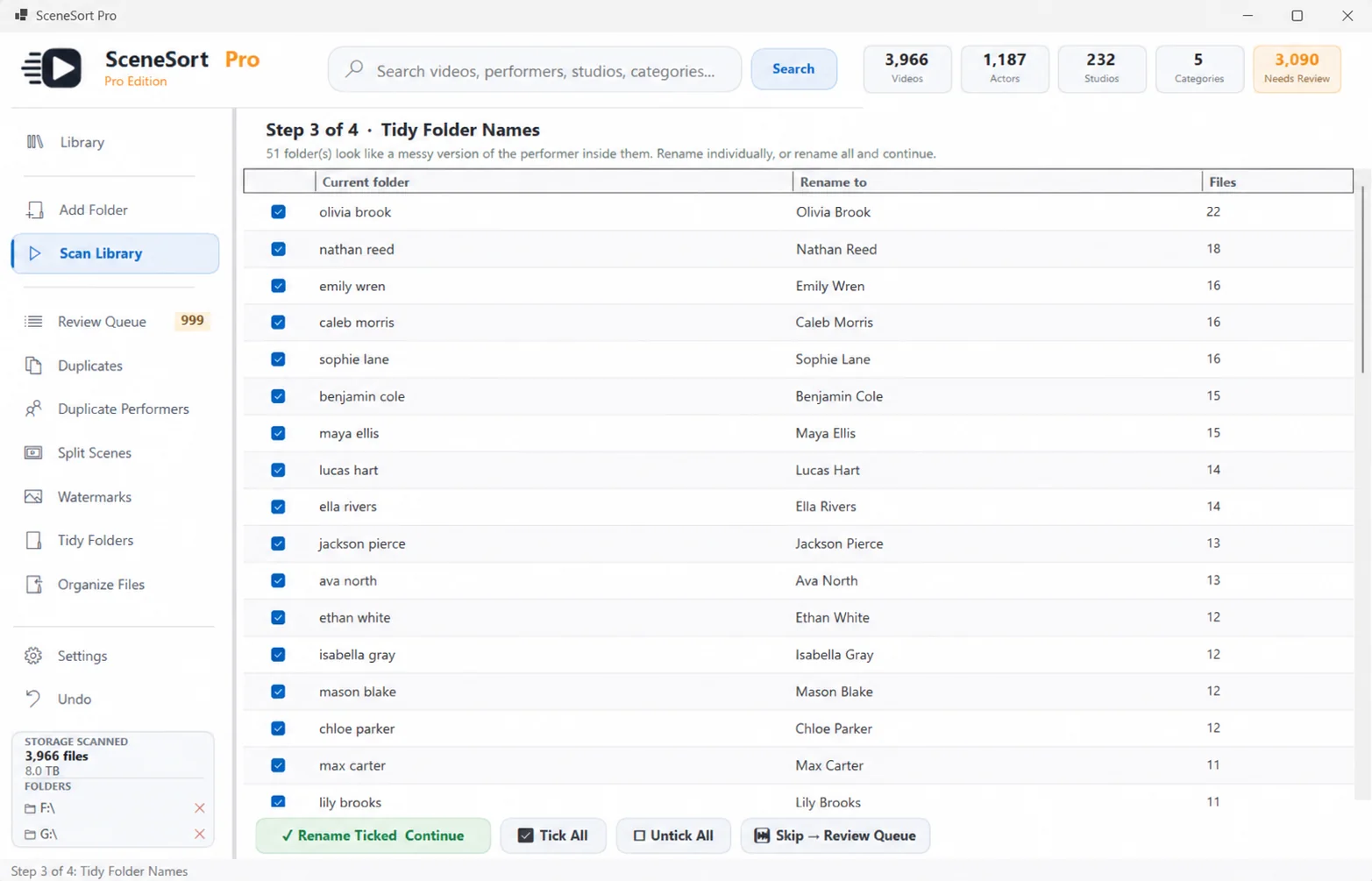
Point SceneSort Pro at any drives or folders — including external and network drives.
It recursively scans, detects supported video files and builds an index in minutes — fully offline.
Approve cleaned names, confirm duplicates, and accept or reject studio and people matches.
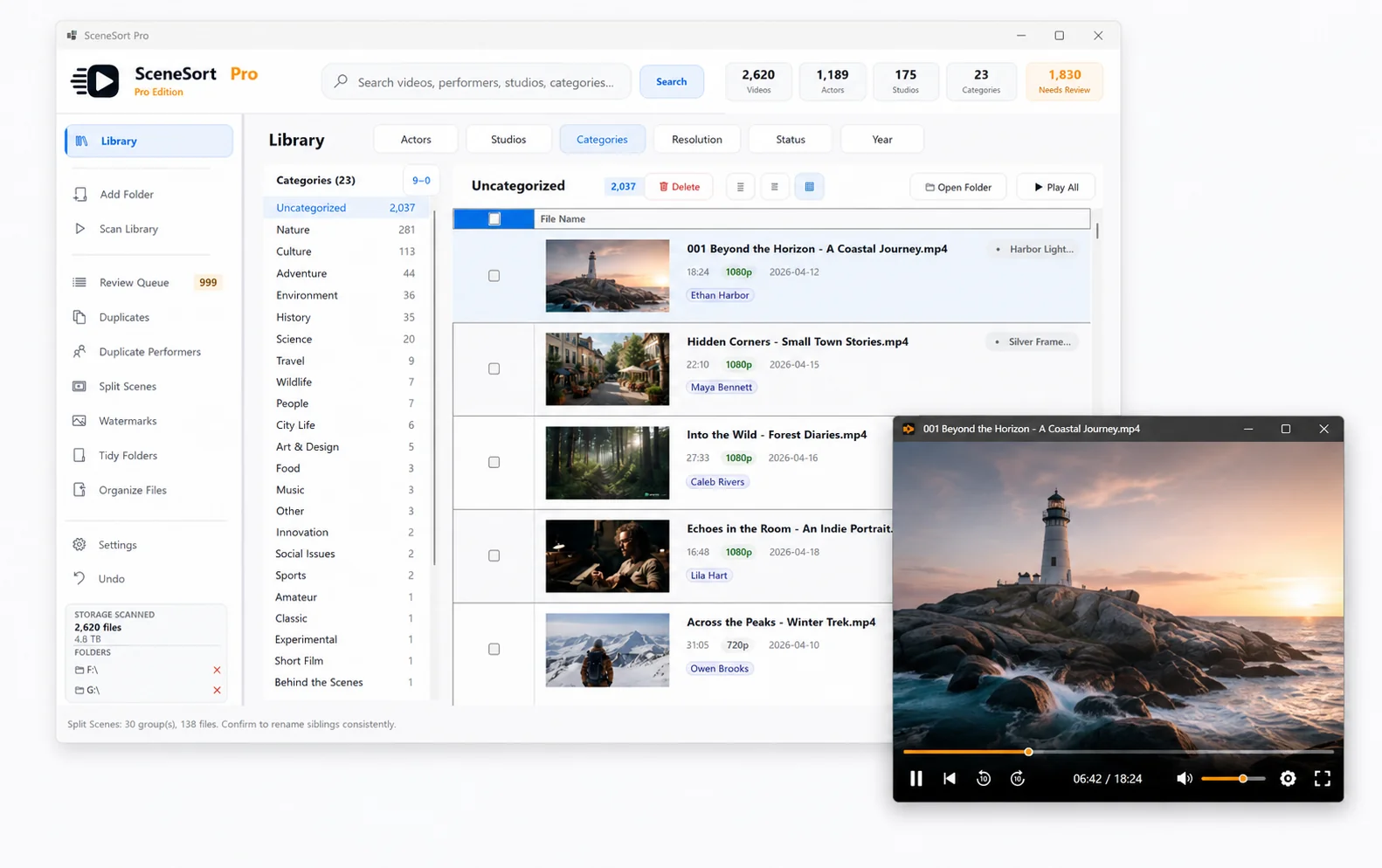
Browse and filter your library, then open any file in your preferred player, like VLC.
Every tool is designed for libraries spread across drives and folders — and built so you review changes before they're applied.
Add multiple root folders and SceneSort Pro scans them recursively, detecting supported video files across scattered locations — designed for messy hard drives and collections built up over years.
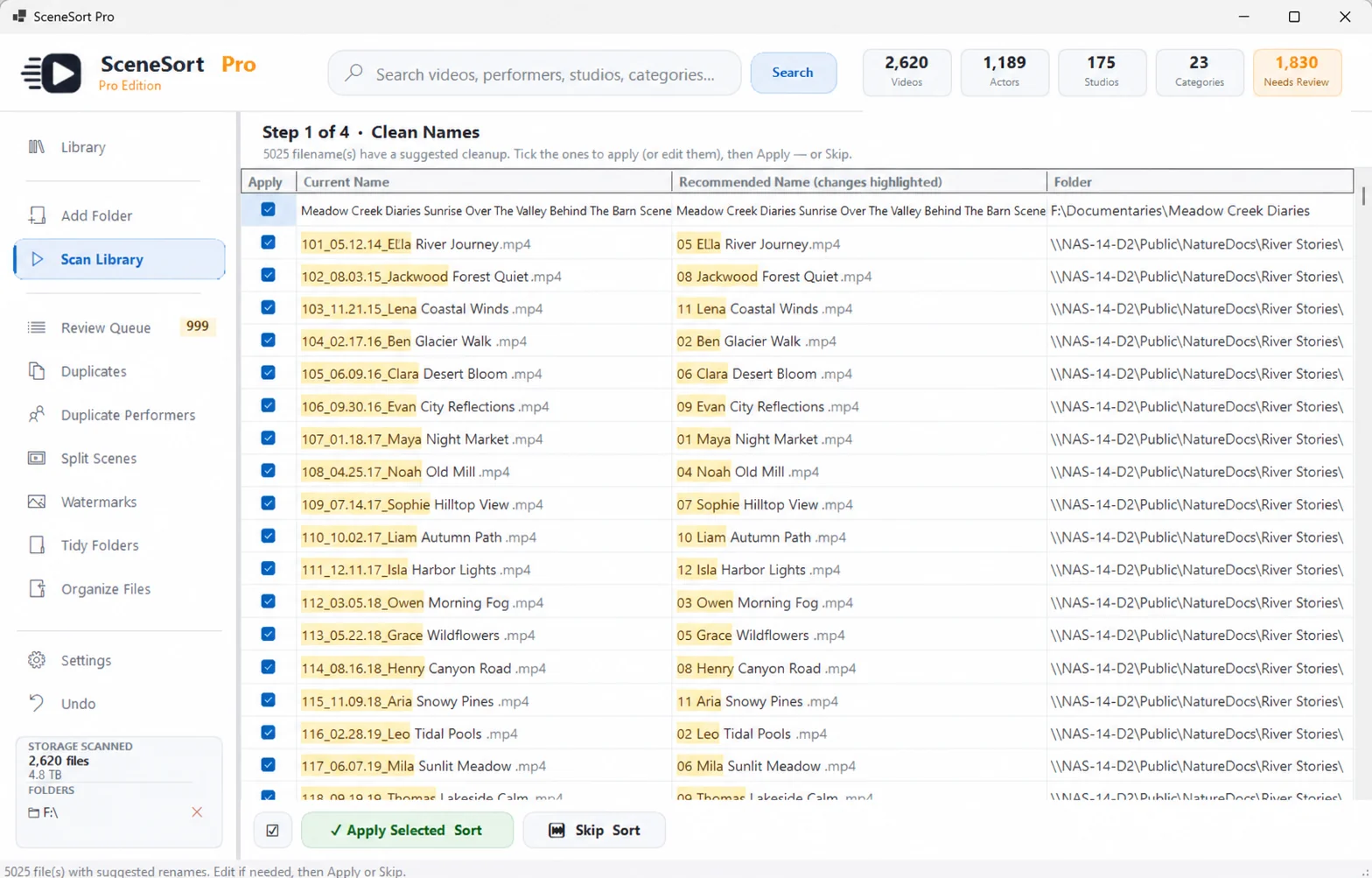
SceneSort Pro splits names into readable parts and strips codec tags, resolutions and release clutter. Review every suggestion side-by-side — original versus cleaned — and rename only the files you choose.
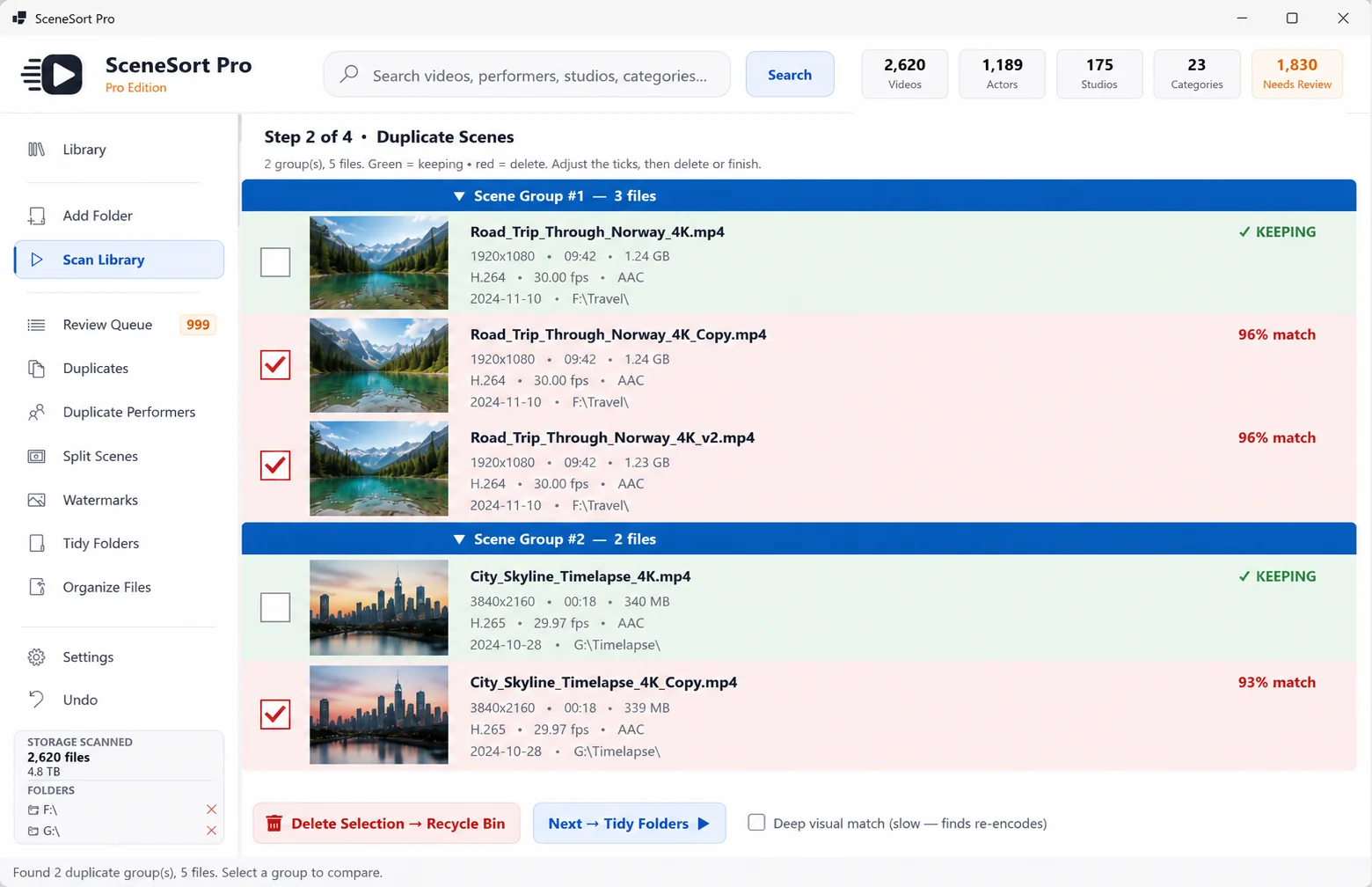
SceneSort Pro groups likely duplicates using file size and fingerprinting, with a match score for each group. Review before removing — keep the best version and send the rest to the Recycle Bin, with full undo logging.
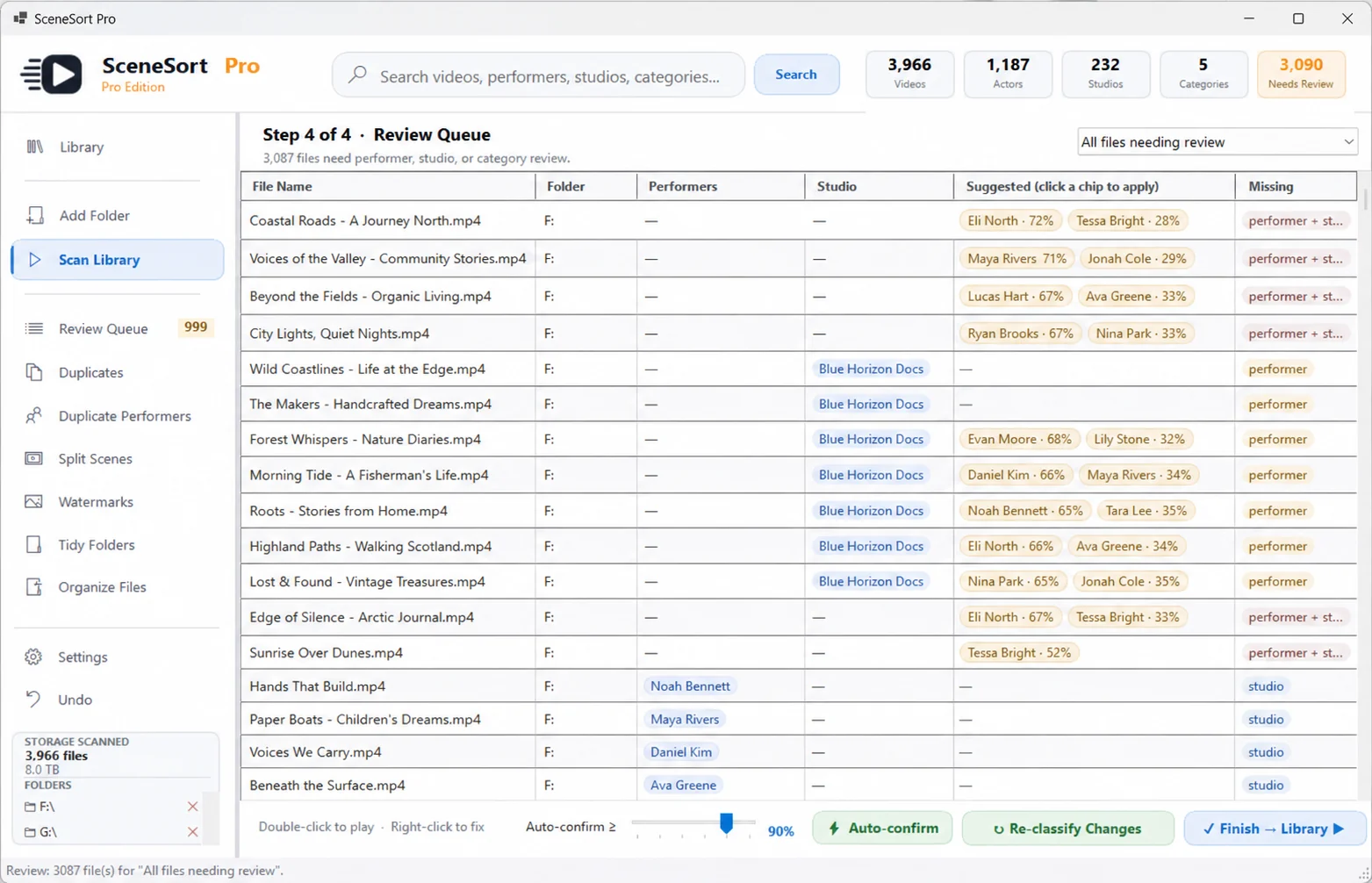
SceneSort Pro suggests likely studios and people from filenames with a confidence score. The Review Queue gives you one place to confirm studios first, then review people — and mark anything incorrect as junk, so your library gets cleaner over time.
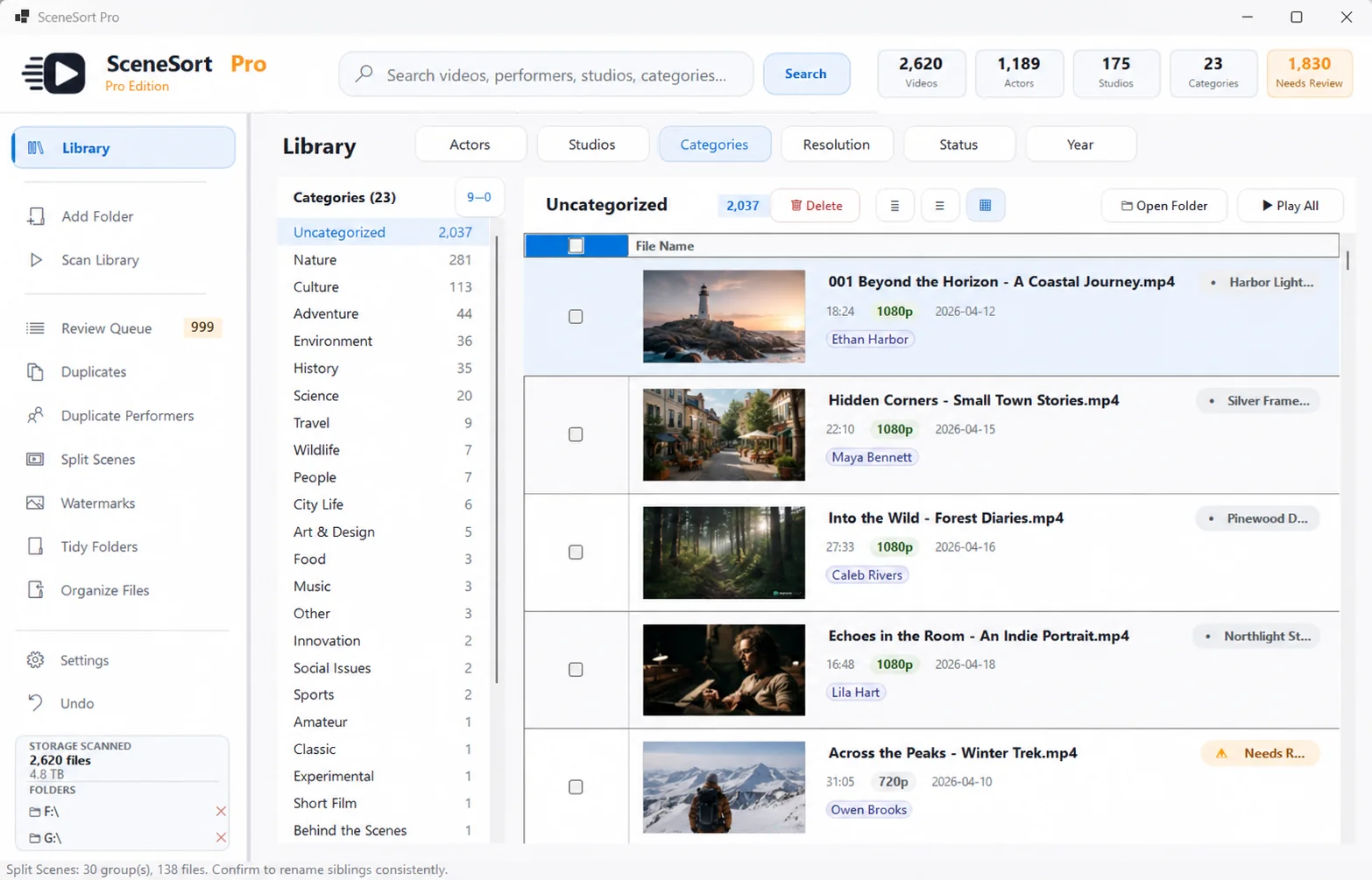
Browse by studio, person, category or folder, search across the whole library, and filter down to exactly what you want. Switch between compact, detailed and thumbnail views — your preference is remembered between sessions.
SceneSort Pro organises and manages the library — it isn't trying to replace your media player. Open any file and it plays in your preferred external player, like VLC, while your library stays exactly where you left it.
Most tools only catalog and play what's already tidy. SceneSort Pro is built to clean up the mess first.
Privacy isn't a setting in SceneSort Pro, it's the architecture. Your files are read locally and never leave your computer. There's nothing to upload, no account to create, and no telemetry.
Try the full app free on your first 500 files. Unlock your whole library with a single payment.
No. Everything stays on your PC — nothing is uploaded, streamed or sent anywhere.
No. There's no sign-up and no login. Install it and start organising.
No. SceneSort Pro runs fully offline. Every feature works with the network disconnected.
Yes. Process up to 500 files free — the full app, no card required.
Yes. It's designed for tens of thousands of files spread across multiple drives.
No — it organises and manages your library, then opens each file in your preferred external player, like VLC. It isn't trying to replace your media player.
Yes. It works with NAS and network shares via UNC paths (for example \\NAS\Videos), and multi-terabyte network libraries are a supported use case.
Nothing is lost. Everything already organised stays organised, and you can keep browsing your whole library. To process beyond 500 files, upgrade to Pro — your work and settings carry straight over.
Yes — one payment, yours for life. No subscription, no renewals, no hidden add-ons. Future updates are included.
Your licence covers your personal computers. Reinstall or move to a new PC whenever you like — your catalog backs up and restores locally.
Try the full app free on 500 files first, so you know exactly what you're getting before you buy. If a technical fault ever stops it working as advertised, email support and we'll resolve it or refund you under our Refund Policy.
Yes. That warning just means the app isn't yet signed with a paid code-signing certificate — it's Windows being cautious about any new, unsigned app, not a sign of a problem. Click "More info", then "Run anyway." SceneSort Pro never contacts the internet, never asks for an account, and never touches your files without your confirmation.
Download the Free Edition for Windows 10 & 11. No account, no card, nothing uploaded — see exactly what it does on your own library before you buy.